Annual Plan SavingsSave 50% with an annual plan
View plans
Nano Banana Pro
HomeHome
Nano Banana Series
Nano Banana 2.1
RECOMMENDED

Sharper visuals · Accurate text · Consistent subjects

Nano Banana Pro

Generate high-quality images from text descriptions

Nano Banana 2

Next-gen · Google Search · 14 Input Images

Nano Banana 2 Lite

Lightweight and fast version of Nano Banana 2

GPT Image Series
GPT Image 2.5
RECOMMENDED

Natural lighting · Rich textures · Fine detail

GPT Image 2

Photoreal quality, precise text, pixel-level editing

GPT Image 1.5

Latest GPT 5.2 powered image generation

Seedream SeriesRELAXED
Seedream 5 Pro
NEW

Rivals Nano Banana 2, precise editing with layer control

Seedream 5 Lite

Latest Seedream model, 4K quality, 8 aspect ratios

Seedream 4.0

4K support, relaxed content policy, batch generation

Qwen Image
Qwen Image 3.0

Complex layouts · Clear text rendering · Fine realism

Creative Tools
Image Enhancement

Enhance image resolution, refine details

E-commerce Image Suite

Upload a product image and generate a complete set for major marketplaces

Nano Banana Pro Combo

Generate multi-card grid sheets in one call

GPT Image 2 Combo

Multi-card grid sheets powered by GPT Image 2

Z-Image
Z-Image

Fast photorealistic generation with relaxed content policy

Seedance Series
Seedance 2.5
NEW

30-second 4K video generation with native audio and advanced controls

Seedance 2
HOT

Cinema-quality video with native audio, up to 15s, text & image to video

Seedance 2 Mini
HOT

High-value Seedance 2 with native audio, 4-15s, 720p/1080p

Seedance 1.5 Pro

Supports first/last frame, text-to-video/image-to-video modes, cost-effective

Kling Series
Kling 4.0
NEW

Keyframes and omni reference, up to 30 seconds with native audio

Kling 3
HOT

Cinematic 4K generation with native audio

Kling o3

Omni model with first/last-frame control

Kling 2.6

Cinematic quality with native audio generation

Wan Series
Wan 3.0
NEW

Standard and high-speed Prime in one workspace

Wan 2.7
HOT

Text, image, reference, and video edit modes

Wan 2.6

Relaxed content policy

Wan 2.5

Relaxed content policy with high creative freedom

Google Series
Gemini Omni

Multimodal input × native audio, cinematic-level controllable video

Veo 3.1

Supports first/last frame video, multi-image reference video generation

Grok Series
Grok Imagine 1.5

Image-to-video by xAI Grok, flexible aspect ratios, up to 15s

Grok

Faster generation, weaker prompt adherence, supports spicy mode

Hailuo AI Series
H3 Max / Turbo

A cost-efficient MiniMax H3 Max studio for text-to-video, image-to-video and reference-led creation with native audio.

MiniMax H3 (Hailuo 03)

Hailuo 03 with text, first/last frame, and multimodal reference video modes

Hailuo AI

MiniMax Hailuo video: text/image to video, excellent first/last frame effects

OmniHuman 1.5
OmniHuman 1.5

Single image and audio to digital human video

V2V Lip Sync

Sync an existing video mouth motion to target audio

AI Chat
AI Audio
NEW

Generate dialogue, ambience, sound effects, and background music

AI Music
NEW

Generate original songs with custom lyrics and styles

CreationsCreations
PricingPricing
Prompt Library

Explore and discover high-quality AI prompts

Nano Banana Prompt Examples

Explore high-quality prompt examples for Nano Banana Pro

GPT Image 2 Prompt Examples
NEW

Browse GPT Image 2 prompts for social posts, posters, and product visuals

Seedance 2.0 Video Prompt Examples

Browse curated Seedance 2.0 video prompt examples with videos, authors, publish dates, and engagement metrics.

Prompt Toolkit

Prompt building tools and guides

AI Image Prompt Builder
NEW

Easily build complex prompts through a visual interface

Seedance 2 Prompt Guide

Dive deep into advanced features and best practices

API
NEW

Integrate Nano Banana Pro capabilities into your applications

Nano Banana Pro
AI ImageAI Video

Nano Banana Pro

Nano Banana Pro is the revolutionary AI-powered image generation and editing platform that delivers consistent character editing and scene preservation with superior performance.

Email: support@nanobananapro.site

  • Email

Product

  • Home
  • Features
  • Showcases
  • Ecommerce
  • Pricing

Other Services

  • AI Image Upscaler
  • Grok
  • Veo 3.1
  • Wan 2.5
  • Kling 4.0

Other

  • Blog
  • About Us
  • Climate Action Plan

© 2026 bananapro.site. All rights reserved.

  • Privacy Policy
  • Terms of Service
  • Refund Policy
  • Referral Program
  • Invoice Management
🇺🇸 English🇨🇳 中文🇰🇷 한국어🇯🇵 日本語🇪🇸 Español🇩🇪 Deutsch🇫🇷 Français🇷🇺 Русский🇸🇦 العربية🇧🇷 Português🇮🇹 Italiano
PricingCreate
Back to GPT Image 2 prompts
HomeGPT Image 2 PromptsCute Google Fonts Tutorial Infographic
Infographic / Edu VisualIllustrationMinimalismText / TypographyDiagram / Chart

Cute Google Fonts Tutorial Infographic

Cute Google Fonts Tutorial Infographic preview image 1

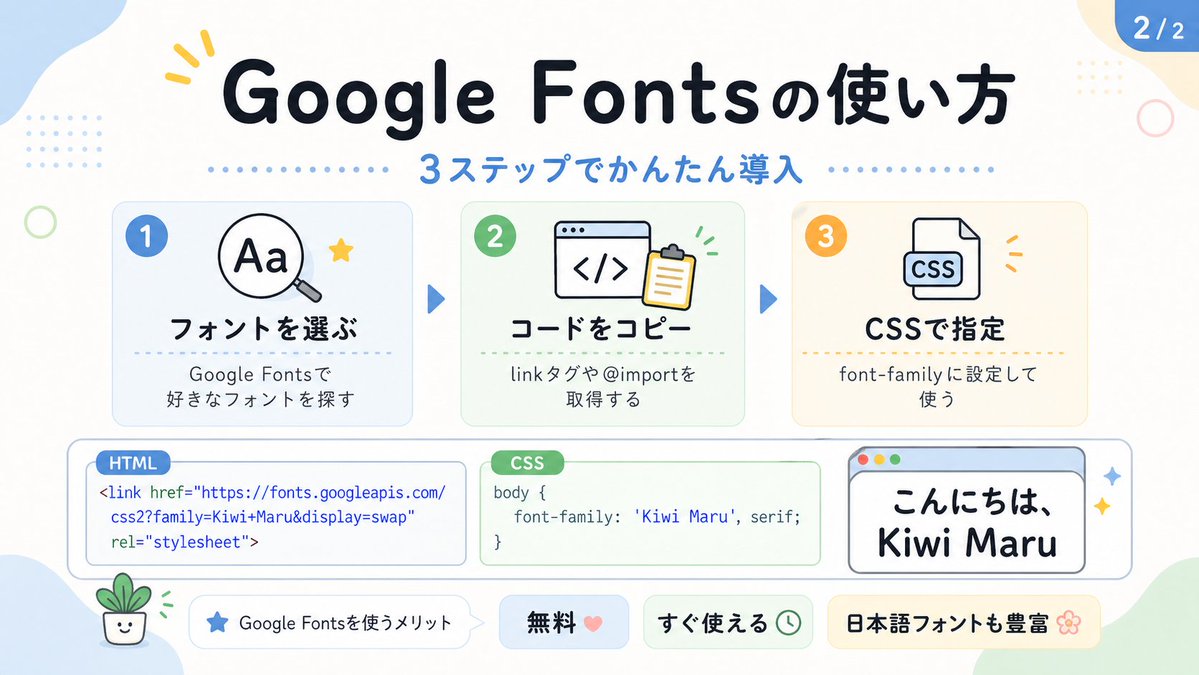
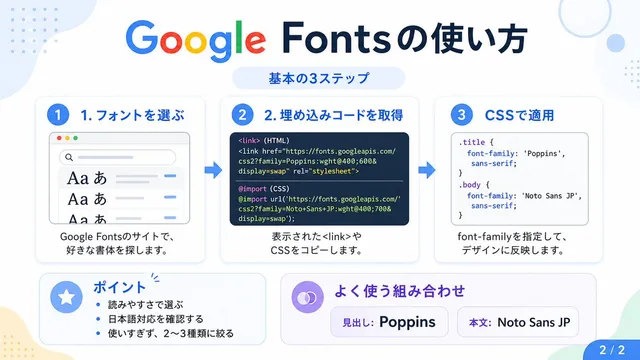
This prompt generates a pastel Japanese educational infographic slide explaining Google Fonts setup in three steps, suitable for social media carousels or tech tutorial posts.

Published April 28, 2026Original language: EN

Prompt

Full prompt text, ready to copy or adapt.

Create a cute pastel Japanese infographic slide with a clean white background and soft rounded abstract corner blobs in pale blue, cream, and light green. The design is friendly, educational, and modern, with thick rounded sans-serif Japanese typography, subtle drop shadows, thin gray outlines, dotted divider accents, and small decorative doodles. At the top center, place a large bold headline in dark navy that reads "Google Fontsの使い方". Directly below it, add a blue subheadline reading "3ステップでかんたん導入" with a horizontal row of small blue dots on both sides. In the top right corner, add a rounded blue page badge that reads "2/2".

Arrange 3 rounded rectangular step cards across the upper middle row, evenly spaced left to right, each with a pale tinted background, soft border, and a colored circular number badge in the upper left. Card 1 has a pale blue background and a blue badge with "1". Inside, show a simple magnifying glass icon over the letters "Aa" plus a small yellow star accent. The bold title reads "フォントを選ぶ" and the smaller text below reads "Google Fontsで
好きなフォントを探す". Card 2 has a pale green background and a green badge with "2". Inside, show a browser window icon with code brackets "</>" and a clipboard, plus tiny green motion marks. The bold title reads "コードをコピー" and the smaller text below reads "linkタグや@importを
取得する". Card 3 has a pale cream background and an orange badge with "3". Inside, show a document icon labeled "CSS" with small orange accent marks. The bold title reads "CSSで指定" and the smaller text below reads "font-family に設定して
使う". Place 2 medium blue triangular arrows between the 3 cards to show progression.

Across the lower middle, create 3 horizontally aligned demo boxes. The left box is a rounded white code panel with a small blue tab label reading "HTML". Inside, display this code in blue text exactly across 3 lines: "<link href=\"https://fonts.googleapis.com/"
"css2?family=Kiwi+Maru&display=swap"
"rel=\"stylesheet\">". The center box is a rounded white code panel with a green tab label reading "CSS". Inside, display dark text exactly as: "body {"
"    font-family: 'Kiwi Maru', serif;"
"}". The right box is a rounded white mock browser window with a pale blue title bar and 3 tiny circular window buttons at top left in red, yellow, and green. Inside, show large Japanese sample text in black reading "こんにちは、
Kiwi Maru" in a cute rounded handwritten-style font. Add 2 small sparkle accents to the right of this browser window.

At the bottom, place 4 pill-shaped badges from left to right. Badge 1 is white with a small blue star icon and text "Google Fontsを使うメリット". Badge 2 is pale blue with bold text "無料" followed by a pink heart. Badge 3 is pale green with bold text "すぐ使える" followed by a small clock icon. Badge 4 is pale yellow with bold text "日本語フォントも豊富" followed by a flower icon.

Add 4 extra decorative elements around the canvas: a yellow 3-stroke sparkle near the top left of the headline, a pale blue dotted square grid in the upper left background, a thin light green ring on the left side, and a tiny smiling potted plant illustration in the lower left corner. Keep the whole composition flat vector-like, crisp, cute, and highly legible, in a social-media educational carousel style.

Creator

H

HANDBALL ZIN|AI CREATOR

Details

Published
April 28, 2026
Language
EN
Model
GPT Image 2
Infographic / Edu VisualIllustrationMinimalismText / TypographyDiagram / Chart

Engagement

Likes
561
Views
123.1k
Shares
50
Comments
6
Bookmarks
946
Quotes
6

Prompt actions

More from GPT Image 2

Related prompts from the same model and categories.

Explore all prompts
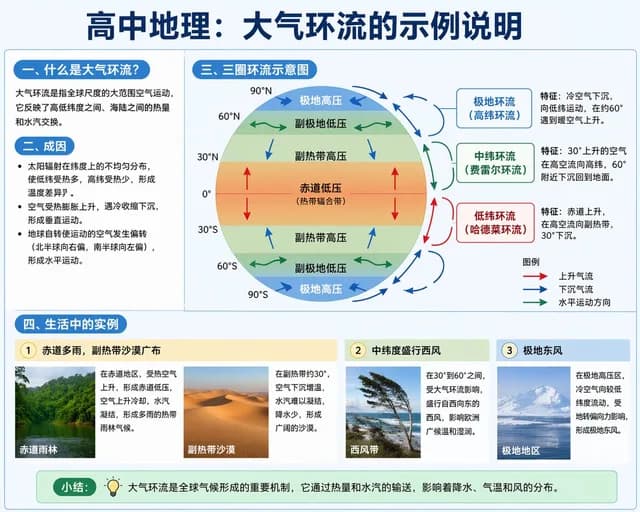
Educational Infographic on Atmospheric Circulation preview image 1

By WY

Educational Infographic on Atmospheric Circulation

Infographic / Edu Visual · Illustration · Minimalism · Diagram / Chart

2k413.1k
Museum Style Infographic Breakdown preview image 1

By Larus Canus

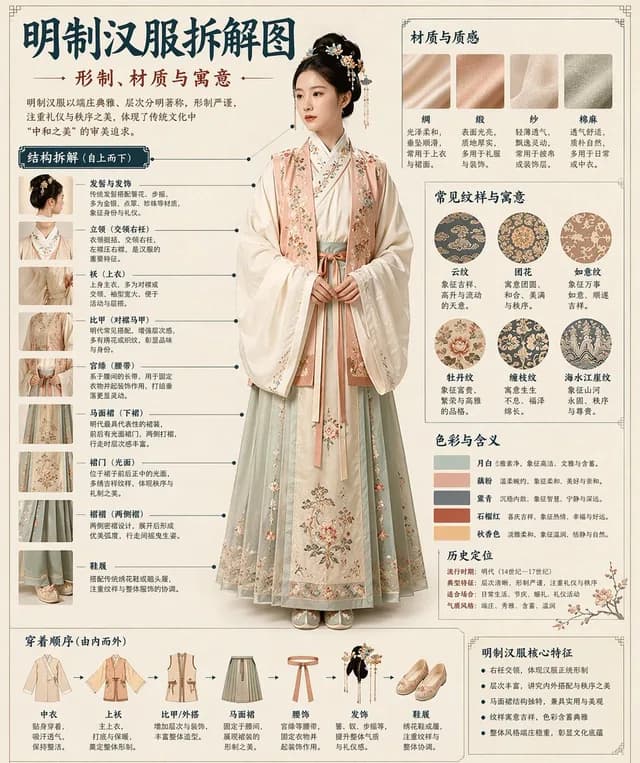
Museum Style Infographic Breakdown

Infographic / Edu Visual · Illustration · Minimalism · Fashion Item

1.1k63.2k
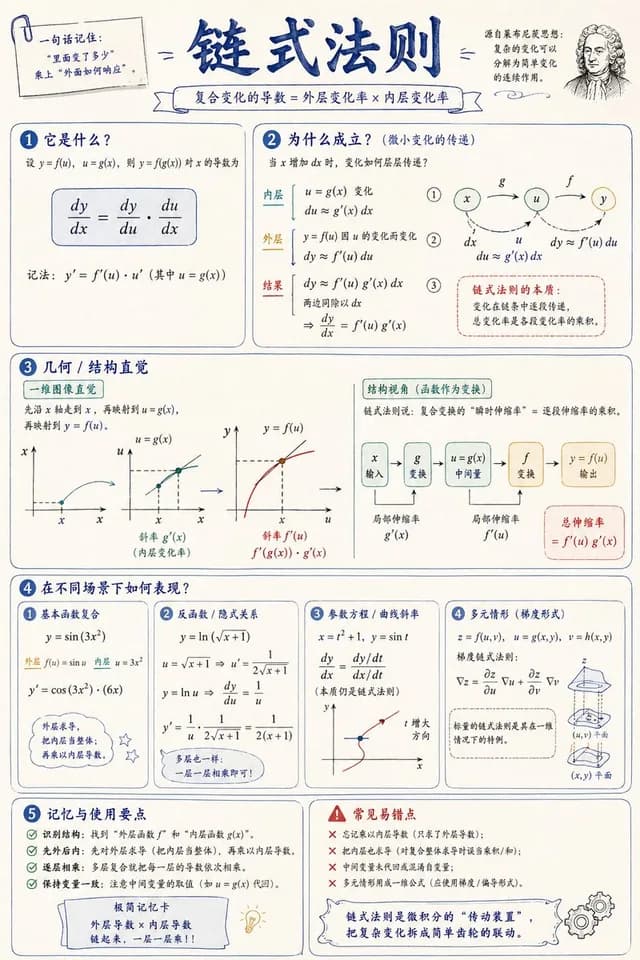
Mathematical Visualization Infographic Prompt preview image 1

By 宝玉

Mathematical Visualization Infographic Prompt

Infographic / Edu Visual · Illustration · Minimalism · Diagram / Chart
86696.6k
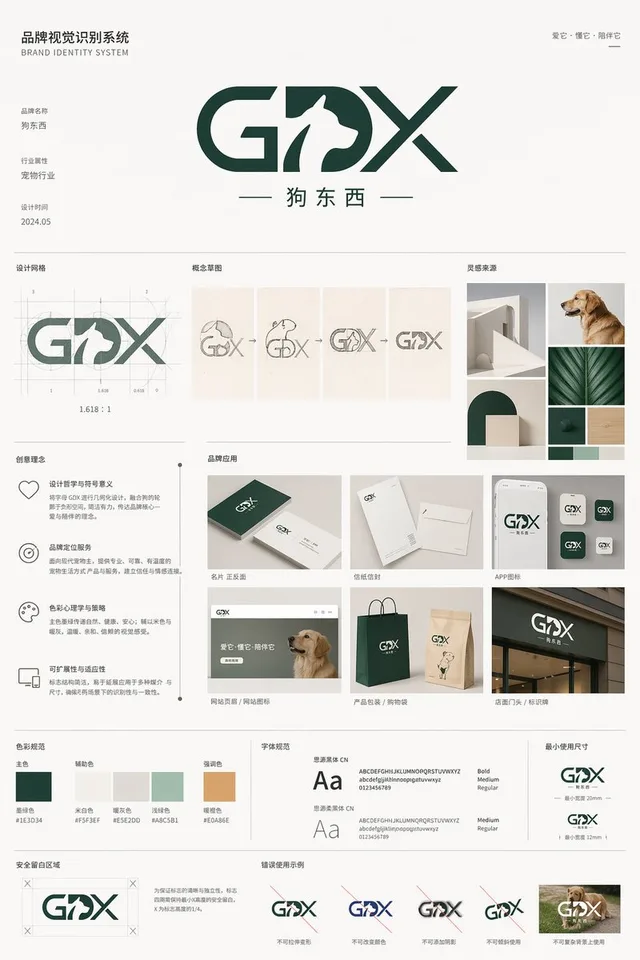
Pet Brand Identity System Board preview image 1

By 沐阳

Pet Brand Identity System Board

Infographic / Edu Visual · Product Marketing · Illustration · Minimalism
723147.4k
Google Fonts Japanese Tutorial Infographic preview image 1

By HANDBALL ZIN|AI CREATOR

Google Fonts Japanese Tutorial Infographic

Infographic / Edu Visual · Illustration · Minimalism · Text / Typography

547123.1k
Minimalist Educational Infographic Template preview image 1

By 知识分享官

Minimalist Educational Infographic Template

Infographic / Edu Visual · Minimalism · Illustration · Diagram / Chart

39423.5k