Annual Plan SavingsSave 50% with an annual plan
View plans
Nano Banana Pro
HomeHome
Nano Banana Series
Nano Banana Pro
RECOMMENDED

Generate high-quality images from text descriptions

Nano Banana 2

Next-gen · Google Search · 14 Input Images

Nano Banana 2 Lite

Lightweight and fast version of Nano Banana 2

GPT Image Series
GPT Image 2.5
RECOMMENDED

Natural lighting · Rich textures · Fine detail

GPT Image 2

Photoreal quality, precise text, pixel-level editing

GPT Image 1.5

Latest GPT 5.2 powered image generation

Seedream SeriesRELAXED
Seedream 5 Pro
NEW

Rivals Nano Banana 2, precise editing with layer control

Seedream 5 Lite

Latest Seedream model, 4K quality, 8 aspect ratios

Seedream 4.0

4K support, relaxed content policy, batch generation

Qwen Image
Qwen Image 3.0

Complex layouts · Clear text rendering · Fine realism

Creative Tools
Image Enhancement

Enhance image resolution, refine details

E-commerce Image Suite

Upload a product image and generate a complete set for major marketplaces

Nano Banana Pro Combo

Generate multi-card grid sheets in one call

GPT Image 2 Combo

Multi-card grid sheets powered by GPT Image 2

Z-Image
Z-Image

Fast photorealistic generation with relaxed content policy

Seedance Series
Seedance 2.5
NEW

30-second 4K video generation with native audio and advanced controls

Seedance 2
HOT

Cinema-quality video with native audio, up to 15s, text & image to video

Seedance 2 Mini
HOT

High-value Seedance 2 with native audio, 4-15s, 720p/1080p

Seedance 1.5 Pro

Supports first/last frame, text-to-video/image-to-video modes, cost-effective

Kling Series
Kling 3
HOT

Cinematic 4K generation with native audio

Kling o3

Omni model with first/last-frame control

Kling 2.6

Cinematic quality with native audio generation

Wan Series
Wan 3.0
NEW

Standard and high-speed Prime in one workspace

Wan 2.7
HOT

Text, image, reference, and video edit modes

Wan 2.6

Relaxed content policy

Wan 2.5

Relaxed content policy with high creative freedom

Google Series
Gemini Omni

Multimodal input × native audio, cinematic-level controllable video

Veo 3.1

Supports first/last frame video, multi-image reference video generation

Grok Series
Grok Imagine 1.5

Image-to-video by xAI Grok, flexible aspect ratios, up to 15s

Grok

Faster generation, weaker prompt adherence, supports spicy mode

Hailuo AI Series
H3 Max / Turbo

A cost-efficient MiniMax H3 Max studio for text-to-video, image-to-video and reference-led creation with native audio.

MiniMax H3 (Hailuo 03)

Hailuo 03 with text, first/last frame, and multimodal reference video modes

Hailuo AI

MiniMax Hailuo video: text/image to video, excellent first/last frame effects

OmniHuman 1.5
OmniHuman 1.5

Single image and audio to digital human video

V2V Lip Sync

Sync an existing video mouth motion to target audio

AI Chat
AI Audio
NEW

Generate dialogue, ambience, sound effects, and background music

AI Music
NEW

Generate original songs with custom lyrics and styles

CreationsCreations
PricingPricing
Prompt Library

Explore and discover high-quality AI prompts

Nano Banana Prompt Examples

Explore high-quality prompt examples for Nano Banana Pro

GPT Image 2 Prompt Examples
NEW

Browse GPT Image 2 prompts for social posts, posters, and product visuals

Seedance 2.0 Video Prompt Examples

Browse curated Seedance 2.0 video prompt examples with videos, authors, publish dates, and engagement metrics.

Prompt Toolkit

Prompt building tools and guides

AI Image Prompt Builder
NEW

Easily build complex prompts through a visual interface

Seedance 2 Prompt Guide

Dive deep into advanced features and best practices

API
NEW

Integrate Nano Banana Pro capabilities into your applications

Nano Banana Pro
AI ImageAI Video

Nano Banana Pro

Nano Banana Pro is the revolutionary AI-powered image generation and editing platform that delivers consistent character editing and scene preservation with superior performance.

Email: support@nanobananapro.site

  • Email

Product

  • Home
  • Features
  • Showcases
  • Ecommerce
  • Pricing

Other Services

  • AI Image Upscaler
  • Grok
  • Veo 3.1
  • Wan 2.5

Other

  • Blog
  • About Us
  • Climate Action Plan

© 2025 • SixBryan LLC All rights reserved.

  • Privacy Policy
  • Terms of Service
  • Refund Policy
  • Referral Program
  • Invoice Management
🇺🇸 English🇨🇳 中文🇰🇷 한국어🇯🇵 日本語🇪🇸 Español🇩🇪 Deutsch🇫🇷 Français🇷🇺 Русский🇸🇦 العربية🇧🇷 Português🇮🇹 Italiano

Seedance 2.5 AI Video Generator

Generate directly online • Multimodal references • Native audio

Seedance 2.5 is a milestone upgrade to the Seedance 2.0 model. It supports one-pass 30-second 4K cinematic AI video generation, stronger visual detail, and richer reference control for scenes that need setup, action, camera movement, and an ending beat.

✨ Heads up: Seedance 2.5 is compute-intensive right now. Higher-tier plans give you more value per credit.

Content Safety Notice

The system periodically reviews all generated content, and non-compliant content will be removed. Please note that accounts containing extreme content, such as anti-human or anti-social material, may be banned. Thank you for your understanding and cooperation.Click to view content policy

0/10000
Auto

Auto holds credits for the 30-second maximum. The difference is returned once the video is generated.

Pro Tip

  • For most scenarios, just pick Standard mode — it covers the vast majority of creative needs.
  • When your reference material contains real human faces, switch to Real mode; or use the built-in Avatar Library instead.
Examples
0:00 / 0:00

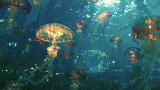
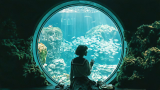
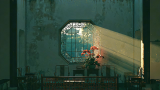
Cinematic brand concept short. @Image1 serves as the first frame. The image sways gently as the camera gradually pushes in, arriving at tree shadows rushing backward outside the window. The speed of the retreating shadows accelerates faster and faster, then suddenly cuts to @Image2 - the pace abruptly slows. The camera glides forward along a stream, accompanied by birdsong and blossoms. The camera tilts downward, entering underwater. SFX: bubbling sounds beneath the surface. A school of orange jellyfish gracefully drifts past the lens @Image3. The camera slowly pulls back. A school of small fish flickers past the lens, then swims from the water through to the interior of the window @Image4. A young girl looks left and right, admiring the little fish. The camera slowly pulls back, the image goes soft-focus, then refocuses to sharp clarity. Synced to the music rhythm, rapid cuts cycle through: a Chinese garden lattice window @Image5 with light spinning through it, a cathedral stained-glass window, an airplane porthole window, a dome skylight, a bay window, Venetian blinds, a European dormer window, a door peephole, a camera viewfinder, a bird's eye, and an extreme close-up of a human eye. The frame lingers on the human eye close-up. The eye closes - screen goes black. Then suddenly the eye snaps open, and "seedance" appears in the center of the pupil, hitting on a heavy beat.
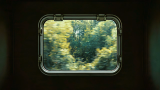
Reference 1@1
Reference 2@2
Reference 3@3
Reference 4@4
Reference 5@5

💡 Tips

  • • Videos and audio: 2–30s each, total duration ≤ 30s
  • • Reference videos must use H.264 or H.265 at 24–60 FPS
  • • Generated audio is checked for copyright — turn audio off if a clip keeps failing

Bring Shot Direction and References into One Generation

Seedance 2.5 is built for shots with a clear goal and many moving parts: preserve a person or product, direct motion and space, set the visual language, and shape sound together. Up to 30 seconds and 4K output leave room for a complete idea and a delivery-ready frame.

01

Story space

Up to 30 seconds

Give a shot time to establish, change, and land instead of compressing the whole idea into a brief demonstration.

02

Delivery ceiling

Up to 4K

Keep more detail for materials, lighting, safe-area crops, and the finishing work that happens after generation.

03

Control method

Multimodal direction

Use images for identity and style, video for movement, audio for rhythm, and @ mentions to make each relationship explicit.

Start with One Clear Shot Objective

Seedance 2.5 works best when you decide what viewers should notice and feel before choosing the references that direct the result.

01

Make the Product Material the Hero

Direct reflections, texture, lighting, and camera distance around a product reference so the surface quality carries the shot.

02

Keep a Character Recognizable through Action

Anchor appearance with a strong reference, then describe the expression, body movement, and camera response that should change.

03

Turn a Static Key Visual into a Moving Shot

Preserve the central composition of a campaign image while adding depth, atmosphere, reveals, and a deliberate ending frame.

04

Let Sound Drive the Visual Turn

Use an audio cue to time a reveal, gesture, lighting change, or edit point so motion and sound reach the beat together.

05

Test a Difficult Camera Move

Explore a push, orbit, follow, or spatial transition before production and see whether the subject remains readable throughout the path.

06

Adapt One Idea for Different Placements

Plan the subject position and safe areas for product pages, ads, and social crops while keeping the creative idea recognizable.

Turn References into a Clear 30-Second Shot Brief

A strong result begins with decisions the model can act on. Give every reference a job, describe what must change over time, and judge the output against the place it will be published.

01

Name the one thing viewers should remember

Start with one communication goal: product texture, character emotion, a reveal, or a camera move. Let every other detail support that priority so the shot does not compete with itself.

02

Assign a role to every reference

Use one source for identity or product shape, another for visual tone, and video or audio only when motion or rhythm needs guidance. Mention each asset where its role becomes relevant.

03

Write motion as cause and effect

Describe what triggers the action, how the camera responds, and where the scene settles. This creates a more useful 30-second arc than a list of disconnected visual adjectives.

04

Review for the final placement

Judge framing, safe areas, legibility, continuity, and sound against the intended ad, product page, or social format. Revise the conflicting instruction instead of rewriting the whole prompt.

Choose a Starting Point from What You Already Have

More control does not always require more files. Begin with the lightest input that expresses the core idea, then add references only when they solve a specific uncertainty.

01

Text to Video

Use it when
The image is still conceptual and you want to explore subject, setting, action, and camera language quickly.
What to prepare
Write the subject, action, environment, camera behavior, and sound direction in a clear order.
02

Image to Video

Use it when
You already have a character, product, opening frame, or ending frame whose key visual traits should remain recognizable.
What to prepare
Choose one or two images that best define identity or composition, then describe exactly what should change.
03

Media to Video

Use it when
The shot needs coordinated control over people, products, movement, atmosphere, or sound rhythm.
What to prepare
Give images, video, and audio distinct jobs, then connect each one to the prompt with an explicit @ mention.

Create with the Seedance 2.5 Video Workspace

A direct creation workflow inspired by the next Seedance generation, grounded in the capabilities currently available in this workspace.

01

Text, Image, Video, and Audio References

Start from a written scene or guide the result with visual and audio materials. Use @1, @2, and other references in the prompt to connect subjects, style, motion, camera direction, and sound.

02

Native 4K resolution

Use higher-resolution output for product detail, cinematic framing, launch pages, ads, and premium social cuts.

03

30-second short films

Generate a longer single clip with room for setup, camera movement, action, and a clean ending beat.

04

Native Audio and Creative Controls

Generate synchronized sound and choose a generation channel that fits standard scenes, real-person references, or a broader creative range.

How to Generate a Seedance 2.5 Video Online

Go from an idea to a downloadable AI video in three steps.

1

Describe the Shot

Write the subject, action, setting, mood, camera movement, and sound you want. For a longer scene, describe the beginning, development, and ending in order.

2

Add References and Settings

Upload the most important images, video, or audio, insert @ references into the prompt, then choose duration, resolution, aspect ratio, audio, and a generation channel.

3

Generate, Preview, and Continue

Check the displayed credit cost, generate the video, and preview the result. Download it or continue from the last frame or source video to build the next scene.

Seedance 2.5 AI Video Generator FAQ

Current answers about direct generation, reference limits, 4K output, 30-second availability, and credits.

Looking for video-ready image prompts?

Use our AI image prompt gallery to design scenes and characters, then bring them to life with Seedance 2.5.

Browse AI image prompts →